Zero-based budgeting explained: give every dollar a job (with a worked month)
What a zero-based budget is, how to build one step by step, and a full worked month on $4,800 take-home pay that lands exactly on zero.
A zero-based budget sounds like it means spending everything. It doesn't. It means planning everything: before the month starts, every dollar you expect to bring home gets a job, until income minus the plan equals zero.
Savings is a job. Paying down a credit card is a job. A fund for next year's car insurance is a job. The only thing that isn't allowed is money with no plan at all, because unplanned money tends to drift into spending you don't remember.
The one rule
Income minus everything you planned = $0.
If the answer is above zero, you have dollars without a job: give them one. If it's below zero, you've planned more than you'll earn: cut something until it balances. That's the whole method. Everything else is detail.
How to build one, step by step
- Start with take-home pay. Use what actually lands in your account this month, not your salary. If your pay changes, use a low, realistic number.
- List the fixed bills. Rent or mortgage, utilities, phone, insurance, loan minimums. These are the easy ones: you already know the amounts.
- Add the everyday spending. Groceries, gas, transit, household stuff. Look at the last two or three months to get honest numbers.
- Add the irregular costs, monthly. Christmas, car repairs, annual subscriptions. Set aside a slice of each every month (these are called sinking funds).
- Add savings and extra debt payments. Emergency fund, retirement, extra on a credit card.
- Add fun money. A budget with nothing for eating out or hobbies is a budget you'll quit. Give it a real number.
- Balance to zero. Whatever is left over goes somewhere on purpose: more savings, more debt payment, or a bigger buffer in a category you tend to overspend.
A worked month on $4,800
Here's one person's month with $4,800 of take-home pay. Every dollar is assigned.
| Category | Planned |
|---|---|
| Rent | $1,650 |
| Groceries | $600 |
| Car payment and insurance | $450 |
| Gas and transit | $180 |
| Utilities, phone and internet | $260 |
| Subscriptions | $40 |
| Eating out | $200 |
| Fun money | $150 |
| Car repairs fund | $100 |
| Christmas fund | $100 |
| Emergency fund | $400 |
| Extra on the credit card | $670 |
| Total planned | $4,800 |
Income $4,800 minus $4,800 planned leaves $0. Done: the budget is balanced.
Notice where the last dollars went. After the bills, everyday spending, fun money and two small funds, $1,070 was left. Instead of letting it sit in chequing, it got split: $400 to the emergency fund and $670 to the credit card.
What happens mid-month
No plan survives a month untouched, and that's fine. Zero-based budgeting doesn't mean the plan is fixed; it means the plan always adds up.
Say groceries run $80 over. You don't just let the total go negative. You move $80 from somewhere else, maybe eating out drops from $200 to $120. The total is still $4,800 and still zero-based, and you made the trade-off on purpose instead of finding out at the end of the month.
If you get extra money (a refund, a side job, a birthday cheque), the same rule applies: give it a job the day it arrives.
What about money you don't spend?
Some categories will come in under plan. You have two choices:
- Roll it over. Unspent grocery money stays in groceries next month. This works well for lumpy categories like car repairs or clothing, where you want the money to build up.
- Sweep it. Move the leftover to savings or debt. This works well for categories like eating out, where you don't want a growing pile tempting you.
Either is fine. Pick one per category and stick with it.
Common mistakes
- Budgeting your gross salary. Taxes and deductions come off first. Plan from take-home pay.
- Forgetting the irregular stuff. Annual bills are the most common reason a zero-based budget "fails" in month three. Spread them out monthly.
- No buffer in tight categories. If groceries swing $100 month to month, plan the high end and sweep what's left.
- Giving up after one bad month. The first two or three months are mostly about learning what you really spend. Adjust the numbers and keep going.
Does it work with biweekly pay?
Yes. Plan the month on the paycheques you'll actually get, and when a month has a third payday, give that extra paycheque its own job. We walk through that in how to budget around biweekly paychecks.
This is a general explanation of a budgeting method, not personal financial advice.
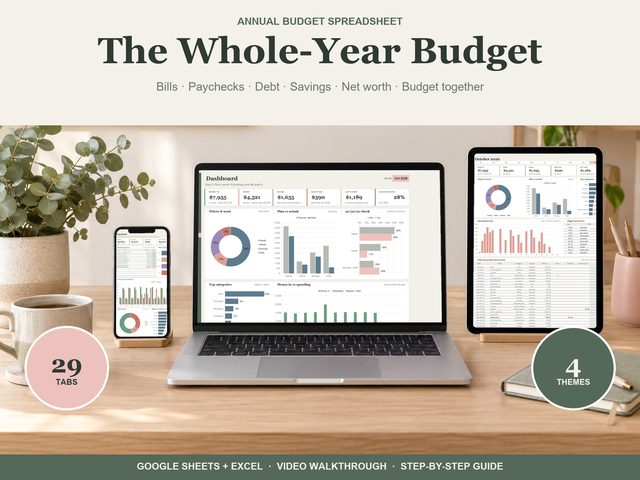
Do it in a spreadsheet
Our Annual Budget spreadsheet has a zero-based plan built in, month by month, with roll-over for the categories you choose. Set your monthly plan per category, add purchases on the Transactions tab, and enter paycheques and bills once on Recurring. The dashboard shows plan vs actual for every category, and the 12 month tabs and bill calendar fill themselves in. It works in Google Sheets (free) and Excel 365, in any currency, starting any month.